
Description
🎉 Chat with your website visitors through their favorite chat applications. Place a floating button at the bottom of your site and give the best support to your customers.
The best WordPress plugin for WhatsApp, with more than 600,000 installations worldwide.
Documentation | Premium | Support
⌁ What you can do with Joinchat (formerly WAme) ✅
🛎 Insert a contact button for WhatsApp on your website.
Set your ‘WhatsApp’ or ‘WhatsApp Business’ number and let your visitors contact you easily:
🧩 WhatsApp Contact Button Block with optional QR Code
📱 On mobile, launch WhatsApp mobile app
💻 On desktop, launch WhatsApp desktop app or WhatsApp Web
🤳 On desktop, show QR Code to scan from phone
Customize your logo, profile picture or even an animated gif.
Define in which pages or zones it should appear, the delay time, if you want it to the right or to the left, only on mobile phones or also on the desktop.
You can define a tooltip or a call to action to capture the user’s interest, the limit is set by your creativity.
📢 New on Joinchat 5.1
- Send events to Google Tag with multiple destinations support.
- Added Private Policy Guide text.
- Set theme black or white text.
📝 Settings at page or archive level.
You can change main settings on every Post, Page, Product or CPT and for Tag or Category archive pages.
Editing your posts in the right side in the Joinchat metabox or editing your tags or categories in the Joinchat section, you can modify Phone, CTA, Start Message and Visibility options.
🔴 Show a notification.
Use a balloon on the button to get the visitor’s attention.
In this way, you ensure that you do not miss any important message you want to give them, surprise them in a less intrusive way.
📯 Create call-to-action messages.
To get users to start the chat, use custom CTAs on each page, product or section.
Welcome them, help them and offer them offers or promotions. Read more
💬 Customize conversation start messages.
Set the first message so that the visitor can start the conversation immediately.
Use our “Dynamic Variables” and you will know what page the visitor is coming from or what product they are looking at when they start the chat.
✅ Opt-in text.
Opt-in is a users’ consent to receive messages from a business.
Write a text with the conditions under which the visitor contacts you (or other info that you consider important).
You can make it mandatory and disable contact until the user accepts it.
🛒 Integration with WooCommerce.
Define CTAs and Custom Start Messages for shop page, product pages and for products on sale.
Add a WhatsApp Contact Button directly on your product page next to the “Add to cart” button or choose the best position, even on products without a price.
🧩 WhatsApp Contact Button Block (min WP 5.9).
Add beautiful and customizable WhatsApp contact buttons in the Block Editor.
Ready to use patterns with different styles are also included.
Enable QR Code on desktop to allow your visitors to scan it and start messaging from their phone.
You can define phone and initial message of the button or use the post/general Joinchat settings (ideal for Reusable Blocks).
🃏 Dynamic Variables.
Use variables in your CTAs and Start Messages that change dynamically for each page:
{SITE} ➡ Website title
{TITLE} ➡ Current page title
{URL} ➡ Current page url
{HREF} ➡ Current page url (full with query params)
{PRODUCT} ➡ Product name (Woo)
{SKU} ➡ Product SKU (Woo)
{REGULAR} ➡ Product regular price (Woo)
{PRICE} ➡ Product current price (Woo)
{DISCOUNT} ➡ Product percent discount when is on sale (Woo)
📈 Analytics Integration.
Automatically send events to Google Analytics, Google Tag Manager and Facebook Pixel when the user opens WhatsApp.
Now can send events to multiple destinations on Google Tag!
Google Analytics 4 integration with the recommended "generate_lead" event.
Google Ads conversion, just add your Conversion ID and Conversion Label.
You can also create your own custom events or add event parameters. View FAQs / Read more
🍾 Chat Triggers.
Any element in your page can be a chat trigger, eg: it can launch WhatsApp from a link or show the Joinchat CTA when the user scrolls to the footer.
On page load (by url):
- url query param
joinchatto show chat window. Can set delay in seconds, default is 0 (e.g. example.com/page/?joinchat=5) - url query hash
#joinchatto show chat window (e.g. example.com/page/#joinchat)
On click:
- class
"joinchat_app"direct launch WhatsApp - class
"joinchat_open"opens Joinchat CTA - link href
"#whatsapp"direct launch WhatsApp - link href
"#joinchat"opens Joinchat CTA
Set custom phone and initial message for direct WhatsApp triggers:
data-phone="99999999"data-message="Only for this trigger message".
On scroll (when element appears on screen):
- class
"joinchat_show"opens Joinchat CTA (first time) - class
"joinchat_force_show"opens Joinchat CTA (always)
💱 Multi-Language & RTL Support.
To be able to support all your users, wherever they are. Our plugin is compatible with WPML and Polylang and also RTL languages are supported.
Direct link to edit translations when a translatable field is changed.
🌈 Theme Colors & 🌚 Dark Mode.
You choose a color and we customize the entire visual theme of the widget. With Dark Mode display the chat window with dark colors and white text. From settings you can activate it or leave it automatic and detects devices’ configuration.
⚡ Fast & Light.
Only load what need when needed. Joinchat is lightweight and follow best coding practices. See tests report
🔕 No distractions.
Joinchat integrates with all major Visual Editors and Page Builders and will not appear when editing a page.
Supported editors: Beaver Builder, Brizy Page Builder, Elementor, Oxygen Builder, Page Builder by SiteOrigin, Thrive Architect, Visual Composer and WP Page Builder.
👨💻 Developer friendly.
Fully extensible, with lots of filters and actions to extend its functionality or change behavior.
⌁ PREMIUM ADD-ONS 🍡
Extend Joinchat with awesome features:
🤖 Chat Funnels.
Simple funnels like a messaging chatbot. Create lead capture, qualification or support funnels by simulating conversations with a chatbot.
NEW Capture input fields and send webhooks to better lead generation and endless possibilities.
🤹🏻♂️ Create Support Agents.
Contact buttons for each agent with availability times. Manage multiple WhatsApp accounts with their name, department and working hours. Your visitors will be able to contact the agent of their choice and know how long it will be until the agents are available.
🎲 Random Phone.
A contact button with multiple WhatsApp numbers. Avoid collapsing your support, pre-sales or orders chat. Add as many WhatsApp numbers as you have support or sales staff. Your customers will randomly access each of them distributing the workload evenly.
📡 OmniChannel.
Add more contact channels. Allows you to add more contact channels (from more than 10 apps) in addition to WhatsApp. Now you can add Telegram, Facebook Messenger, Tiktok, Snapchat, SMS, phone calls, Skype, FaceTime and more.
🥁 Convincing Calls to Action.
Enhance your Calls to Action. Create more engaging content in the chat window for better conversion. Add links, videos, images, animated GIFs, buttons or even embedded content from other platforms such as Calendly, surveys, forms…
🧪 Try Joinchat
Do you want to test the Joinchat configuration panel without installing it? You can try it in a WordPress on the fly demo
🎨 “Business Chat” is our WordPress theme recommended
Business Chat is a versatile WordPress theme designed for businesses seeking a professional online presence. It offers a fully responsive design, built-in SEO tools, extensive customization options, and a chat integration through Joinchat. It’s compatible with popular page builders and backed by dedicated customer support. Also it’s the ultimate solution for a high-performing, user-friendly business website.
Business Chat offers both a free and a premium version, catering to businesses with varying budgets and requirements. This flexibility makes it an ideal choice for businesses looking for a comprehensive and versatile solution to establish their online presence.
⌁ If you like Joinchat 😍
- Please leave us a ★★★★★ rating. We’ll thank you.
- Help us with the translation in your language
- Visit our blog and find tips and tricks at join.chat.
- Follow @joinchatnow on twitter. Join chat now!
Screenshots
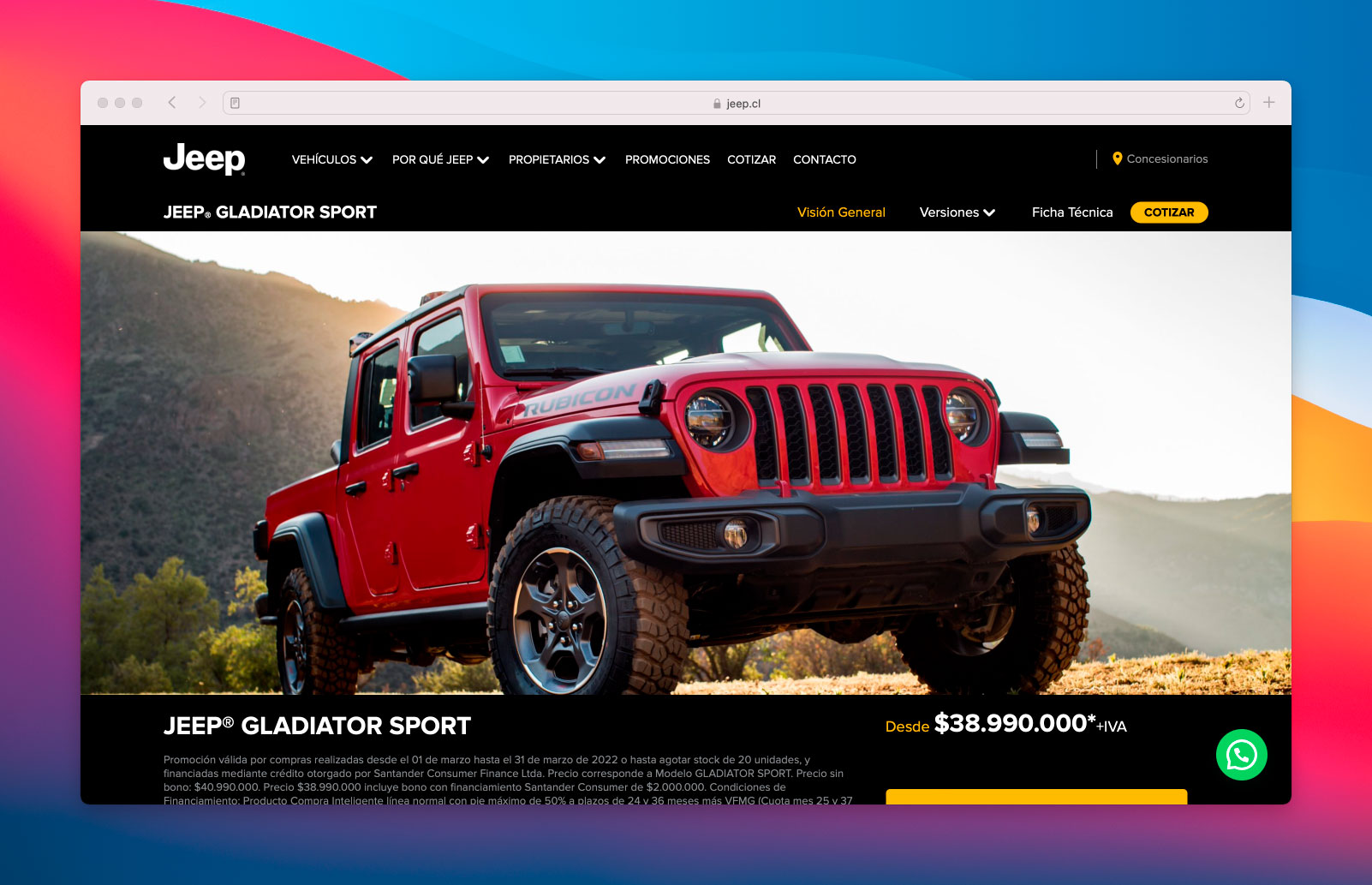
Real example 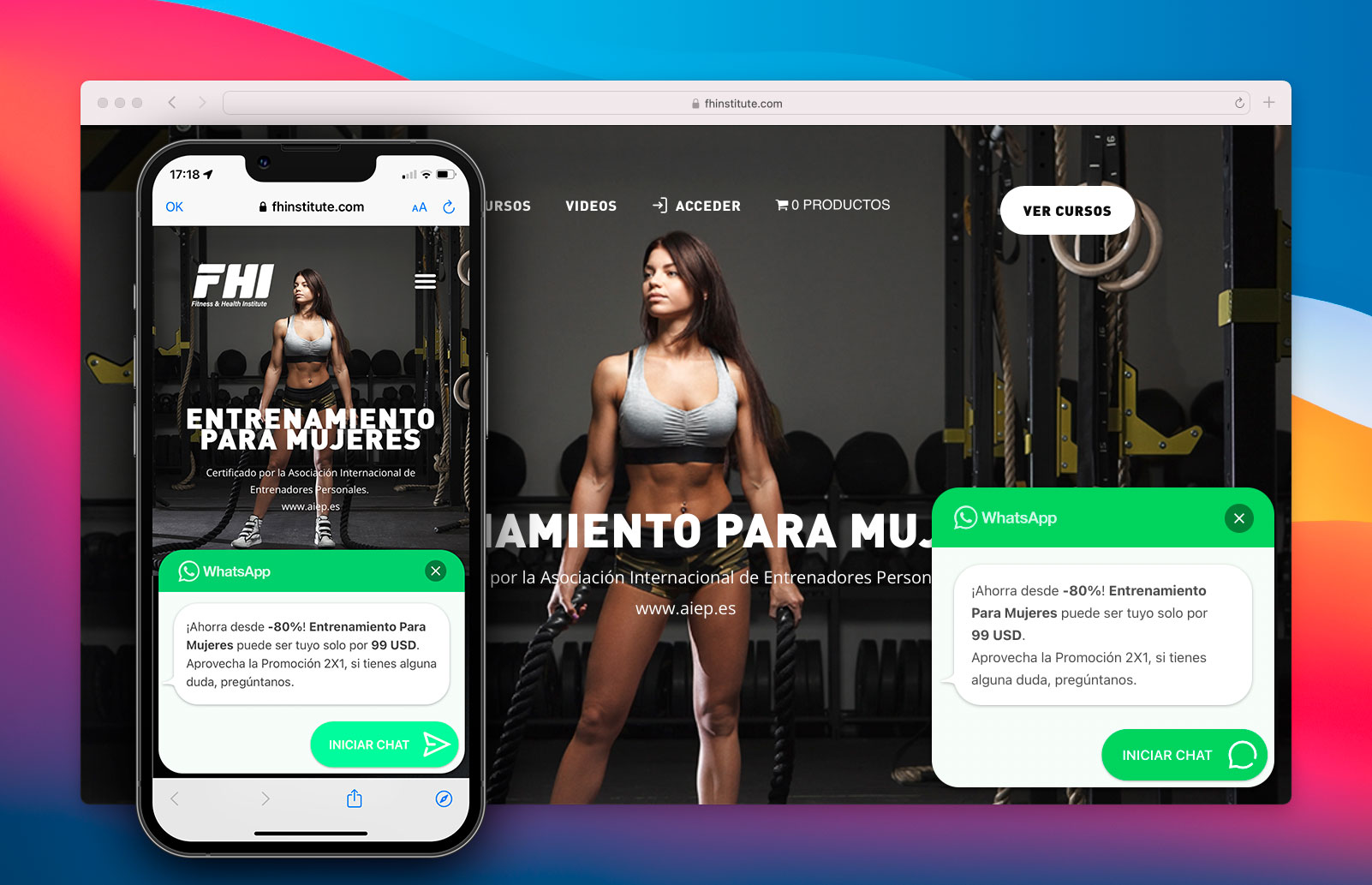
Real example 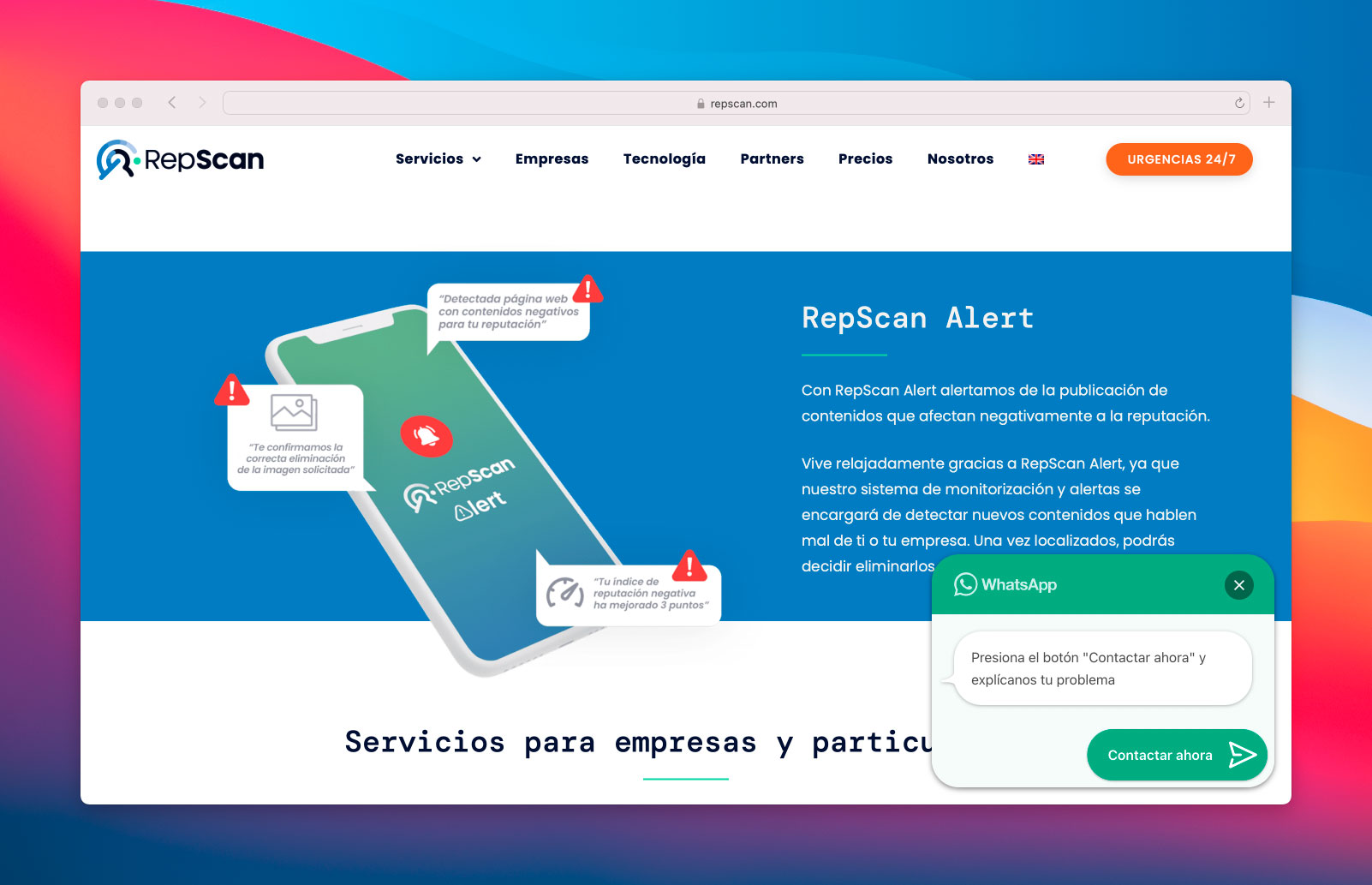
Real example 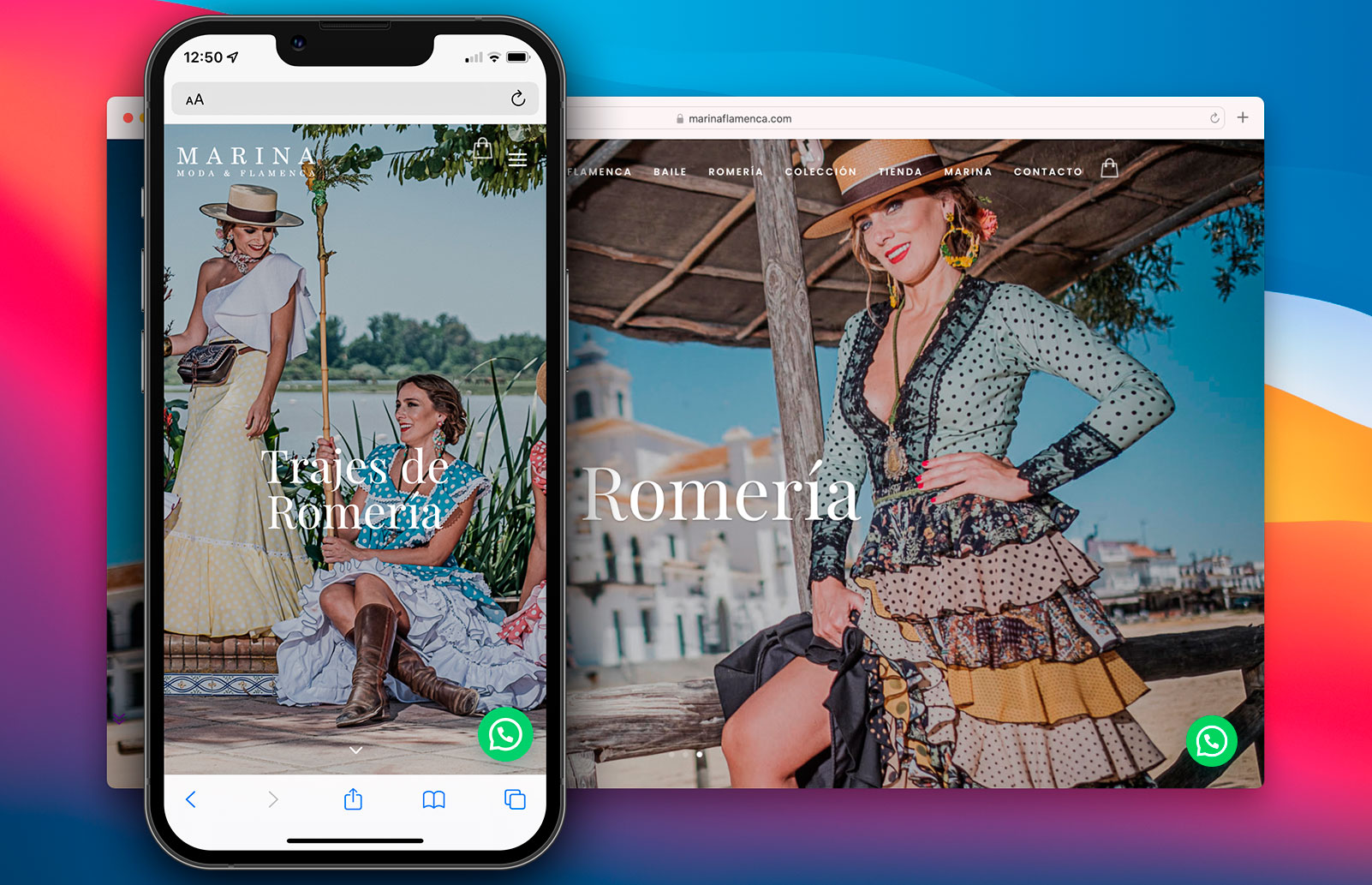
Real example 
Real example 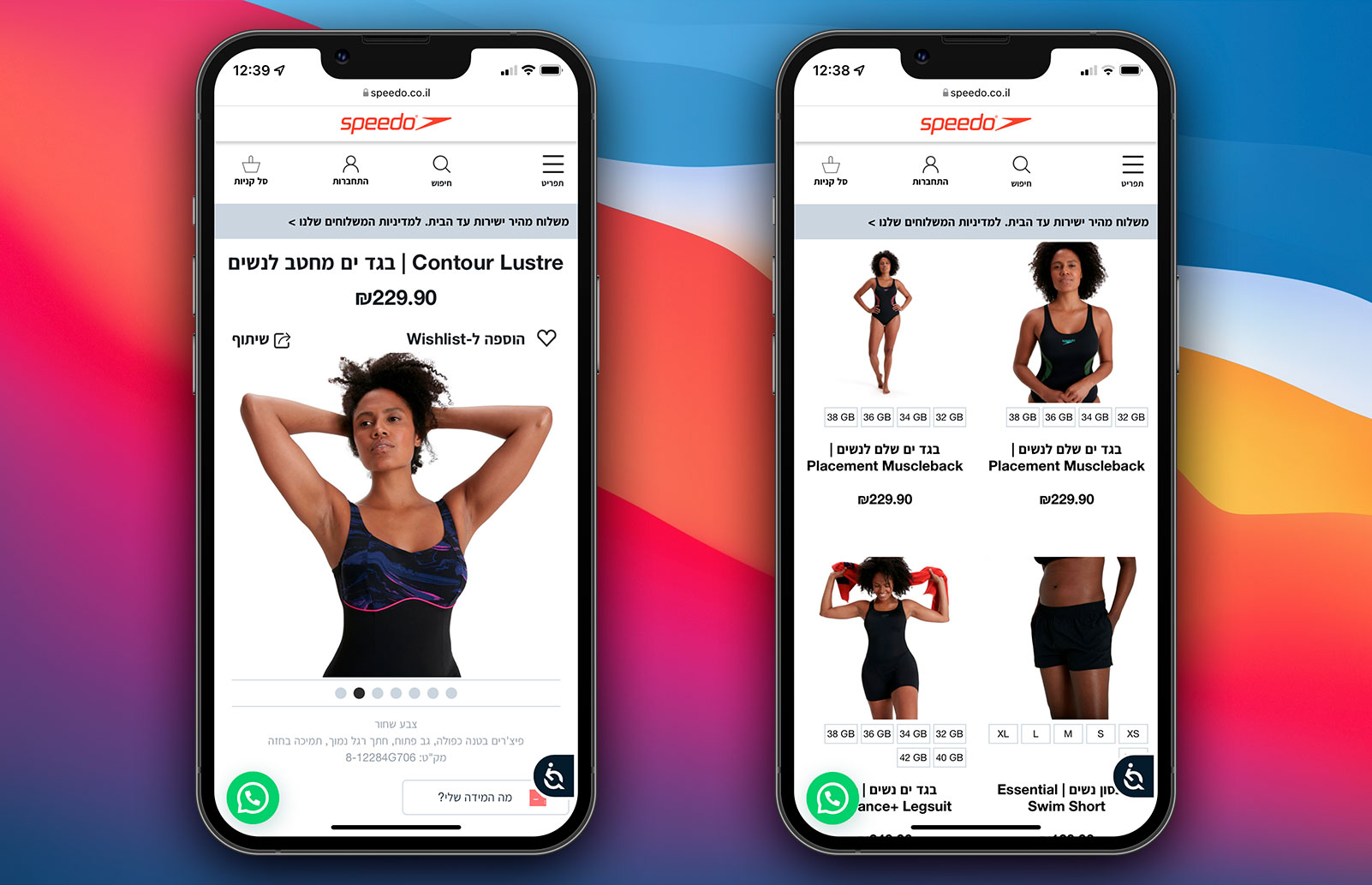
Real example 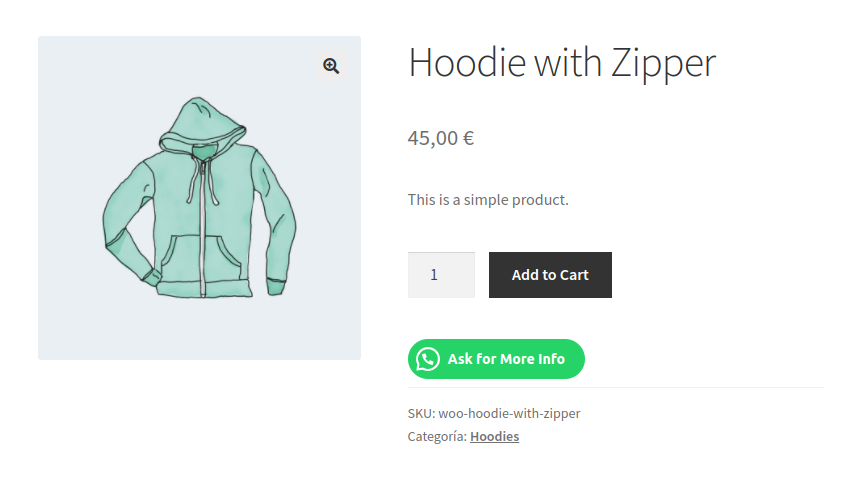
Product Button example 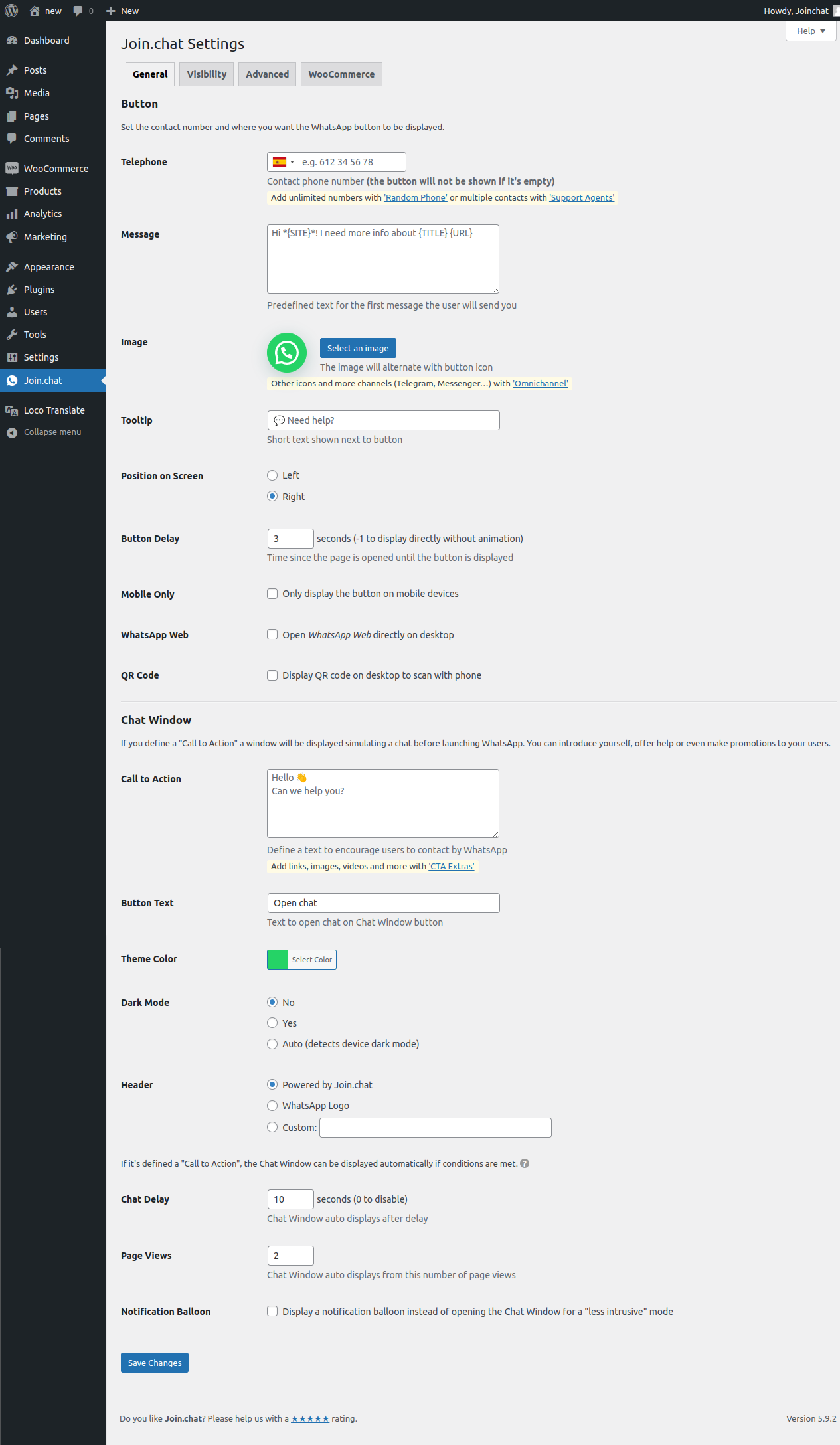
General settings 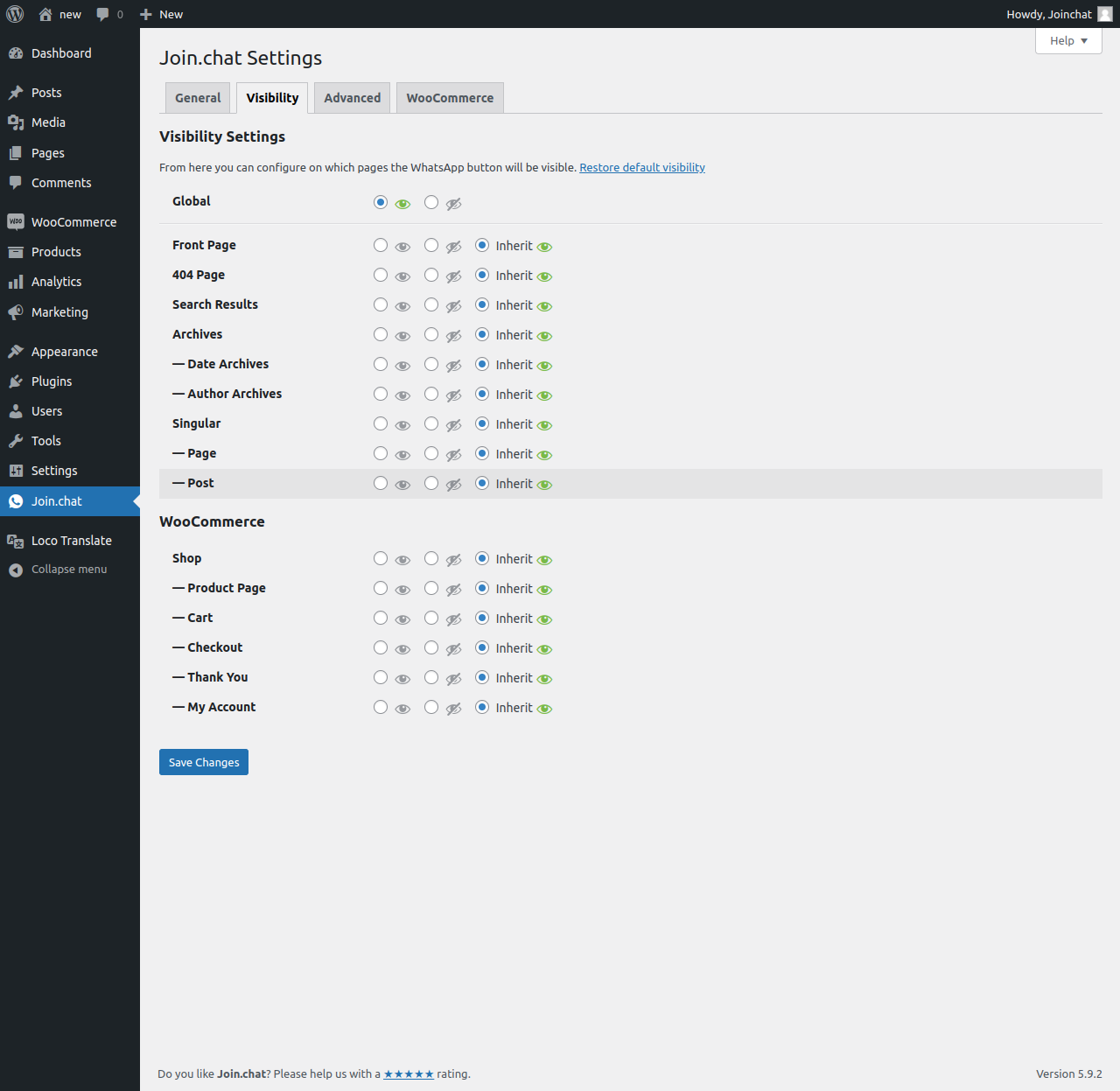
Visibility settings 
WooCommerce settings 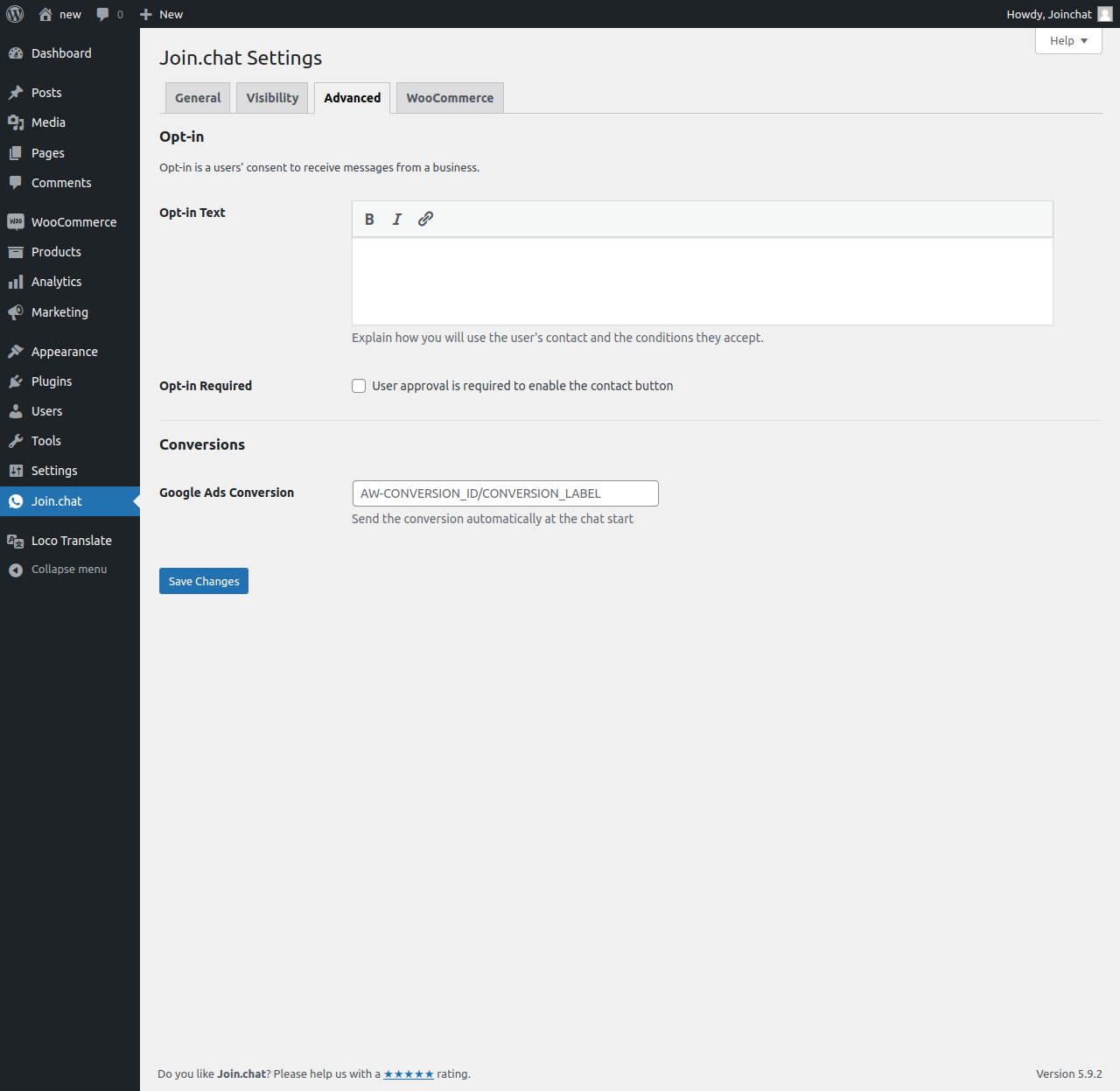
Advanced settings 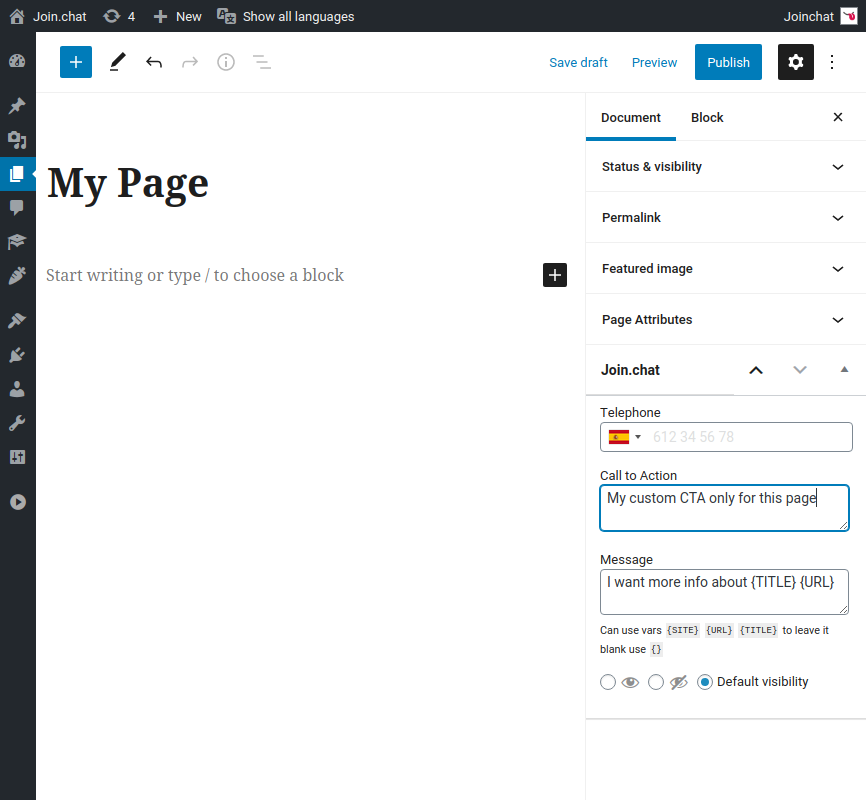
Page settings
Installation
- Upload the entire
creame-whatsapp-mefolder to the/wp-content/plugins/directory. - Activate the plugin through the ‘Plugins’ menu in WordPress.
FAQ
-
You can change the position of the button so that nothing covers it by adding this CSS in Joinchat Settings > Advanced > Custom CSS:
.joinchat { z-index:999999; }Higher values of z-index are above, the default value is 9000.
If you need to move up:
/* always */ .joinchat { --bottom: 60px; } /* mobile only */ @media (max-width: 480px), (orientation: landscape) and (max-height: 480px) { .joinchat { --bottom: 60px; } } -
You can change the button size by adding this CSS in Joinchat Settings > Advanced > Custom CSS:
/* always */
.joinchat { --s: 50px; }

/* mobile only */
@media (max-width: 480px), (orientation: landscape) and (max-height: 480px) {
  .joinchat { --s: 40px; }
}
For WooCommerce Product Button you can change size with:
.joinchat__woo-btn { --s: 50px; } -
Shortcodes / Triggers
-
Joinchat does not provide any shortcodes, but you can easily link to WhatsApp in two ways:
- Add an anchor link to
#whatsapp(open WhastApp directly) or#joinchat(show chat window).
e.g.: add in your menu a custom link with the URL#whatsapp - Add a css class to any element,
joinchat_app(open WhastApp directly) orjoinchat_open(show chat window).
e.g.:<img src="contact.jpg" class="joinchat_open" alt="Contact">
This works with your phone settings and message with dynamic variables, even on pages without Joinchat visible.
For custom direct WhatsApp links you can add
data-phoneanddata-messageattributes.
e.g.:<a href="#whatsapp" data-phone="99999999" data-message="I want to chat">Chat now!</a> - Add an anchor link to
-
Disable enhanced telephone input
-
Joinchat uses International Telephone Input library to facilitate and validate the introduction of the phone number in the format of each country. If you have problems with your phone number or you want to write it directly without any changes you can disable it with this filter (remember follow WhatsApp guidelines):
add_filter( 'joinchat_enhanced_phone', '__return_false' ); -
Allow other roles to change settings
-
By default Joinchat settings can only be edited by users with
manage_optionscapability (administrator).
You can change the required capability with the filter"joinchat_capability".// e.g. allow shop managers: add_filter( 'joinchat_capability', function(){ return 'manage_woocommerce'; } ); // e.g. allow editors: add_filter( 'joinchat_capability', function(){ return 'edit_pages'; } );Since v4.4 Joinchat menu is placed as direct menu in your wp-admin but you can change it with the filter
"joinchat_submenu":// Show as submenu under Settings (also require "manage_options" capability) add_filter( 'joinchat_submenu', '__return_true' ); -
The block editor evolves quickly and errors can occur that we have not anticipated.
If you have any errors with Gutenberg and Joinchat or simply prefer the old Joinchat metabox you can use this filter:
add_filter( 'joinchat_gutenberg_sidebar', '__return_false' ); -
WPML/Polylang translations
-
Joinchat settings are saved in your site’s main language. For other languages translation go to WPML/Polylang Settings > String translations, filter strings group by “Joinchat” and update the strings for each language.
-
Google Tag with multiple destinations
-
Joinchat since 5.1 can detect multiple destinations in Google Tag and send events to all of them.
To try check option “Google Tag Events” in Joinchat Settings > Advanced.
-
Google Analytics integration
-
Joinchat sends a custom event when user launch WhatsApp.
If Google Analytics 4 (gtag.js) is detected, use the recommended
'generate_lead'event:gtag('event', 'generate_lead', { event_category: 'JoinChat', event_action: 'whatsapp: 99999999999', event_label: destination_url, chat_channel: 'whatsapp', chat_id: '99999999999', is_mobile: 'yes' | 'no', });If your site don’t have standard names for data layer (‘dataLayer’) you can set your custom names with this PHP filter. Also can set a different event name for GA4:
add_filter( 'joinchat_get_settings', function( $settings ){
    $settings['ga_event'] = 'myGA4Event';
    $settings['data_layer'] = 'dataLayerCustom';
    return $settings;
} );
Joinchat is compatible with plugins MonsterInsights – Google Analytics Dashboard for WordPress and Google Tag Manager for WordPress custom names.
-
Google Tag Manager integration
-
Joinchat sends a
'JoinChat'event if GTM is detected when user launch WhatsApp:dataLayer.push({ event: 'JoinChat', event_action: 'whatsapp: 99999999999', event_label: destination_url, chat_channel: 'whatsapp', chat_id: '99999999999', is_mobile: 'yes' | 'no', page_location: current_url, page_title: page_title, }); -
Facebook Pixel integration
-
Joinchat sends a
'JoinChat'custom event if Facebook Pixel is detected when user launch WhatsApp:fbq('trackCustom', 'JoinChat', { event_action: 'whatsapp: 99999999999', event_label: destination_url, chat_channel: 'whatsapp', chat_id: '99999999999', is_mobile: 'yes' | 'no', page_location: current_url, page_title: page_title, }); -
Custom Events / add Event Parameters
-
Joinchat triggers custom events before launch WhatsApp
'joinchat:open'and before send analytics events'joinchat:event'.You can use them to extend them to your needs, add extra functions, cancel events or add extra parameters.
// e.g.: Send webhook to Zapier jQuery(document).on('joinchat:event', function (event, params) { jQuery.post('https://hooks.zapier.com/hooks/catch/123456/xxxxxx/', params ); }); // e.g.: Add user_is_logged param for GA4/GTM event jQuery(document).on('joinchat:event', function (event, params) { params.user_is_logged = document.body.classList.contains('logged-in') ? 'yes' : 'no'; }); -
What about GDPR?
-
Joinchat don’t use cookies and don’t collect personal data.
Joinchat save two localStorage variables for proper operation:
joinchat_viewsis a visits counter to control when to show chat window.joinchat_hashesif you set a Call To Action (CTA), when user launch WhatsApp or close Chat Window the CTA hashed is saved to prevent show automatically that CTA again.
Reviews


Contributors & Developers
“Joinchat” is open source software. The following people have contributed to this plugin.
Contributors


“Joinchat” has been translated into 10 locales. Thank you to the translators for their contributions.
Translate “Joinchat” into your language.
Interested in development?
Browse the code, check out the SVN repository, or subscribe to the development log by RSS.
Changelog
5.1.5
- FIX updated minified scripts 😓
5.1.4
- FIX refactor send GA4 events detects multiple destinations and old “config” implementations without any option.
5.1.3
- FIX onboard error on save (introduced on 5.1).
5.1.2
- FIX recover GA4 params removed on v5.1.
- Clear WPML strings cache on save Joinchat settings.
5.1.1
- FIX javascript error on send events.
5.1.0
- NEW Support for Google Tag with multiple destinations.
- NEW Added Private Policy Guide text.
- NEW Allow to set theme black or white text color.
- CHANGE Only use cookies if needed.
- CHANGE Simplified Chat Window admin settings.
- NEW Detects Thrive Architect editor.
- NEW Prevent Thrive Architect remove Joinchat inline styles.
- Bump WordPress required at least to 4.9.6.
5.0.17
- FIX Not escaped strong tag.
- FIX Blurry SVGs in Chrome on Mac.
- CHANGE Better enqueue script if jQuery is deregistered.
5.0.16
- NEW Detects Bricks Builder & Divi editors.
- CHANGE Remove old Universal Analytics event.
5.0.15
- FIX PHP typo (thanks to @kent-brockman topic).
5.0.14
- Bump WordPress required at least to 4.9.0.
- SECURE Escape translations (thanks to @davidperez at #WCMAD).
5.0.13
- FIX Unclosed SVGs.
- CHANGE Front minor styles improvements.
5.0.12
- CHANGE RTL languages show message bubble peak on right.
- FIX Clean new lines to ensure “\n” format.
- FIX False positive on un unmarked checkbox settings on first save.
- NEW Joinchat settings header added Premium discount coupon.
5.0.11
- FIX Update inline CSS minifier.
- CHANGE Custom CSS not prefill example CSS by default.
5.0.10
- FIX load customs CSS when use button only styles.
- CHANGE small optimization, no need jquery-migrate.
5.0.9
- FIX Term custom Joinchat settings not saved (introduced on v5.0).
- NEW Prevent WP Rocket remove Joinchat styles.
5.0.8
- CHANGED Tested up to WordPress 6.3.
- NEW for developers: added filter ‘joinchat_enqueue_qr’.
5.0.7
- NEW Added url triggers hash
#joinchator query param?joinchat. - FIX PHP warning “$script undefinned”.
5.0.6
- Fix onboard undefined submenu error.
5.0.5
- FIX bad formed sprintf() function.
5.0.4
- FIX fatal error with missing class JoinchatUtil.
- FIX preview custom CSS.
5.0.2
- FIX onboard phone error with minified scripts.
- UPDATED International Telephone Input library (18.1.8).
5.0.1
- FIX undefined constant on PHP < 8.
5.0.0
- NEW Live Preview Panel on wp-admin settings page.
- NEW Onboarding page.
- NEW Custom CSS advanced field.
- NEW Added setting to clear all Joinchat data on uninstall.
- NEW Multi-language notice to inform about to set settings in main language.
- CHANGE Replace QR generator library (reduces 13.9kB, 4.8kB gzipped).
- CHANGE Optimized, only load translations in admin pages.
- CHANGE Better styles when chatbox has scroll.
- UPDATED International Telephone Input library (18.1.6).
- BREAK Changed all PHP class names to follow WordPress Coding Standards.
See changelog.txt for older changelog